What NoriOS gives you
Your apps from both worlds, a desktop that is quick to learn, and a system built to stay fast and out of your way.
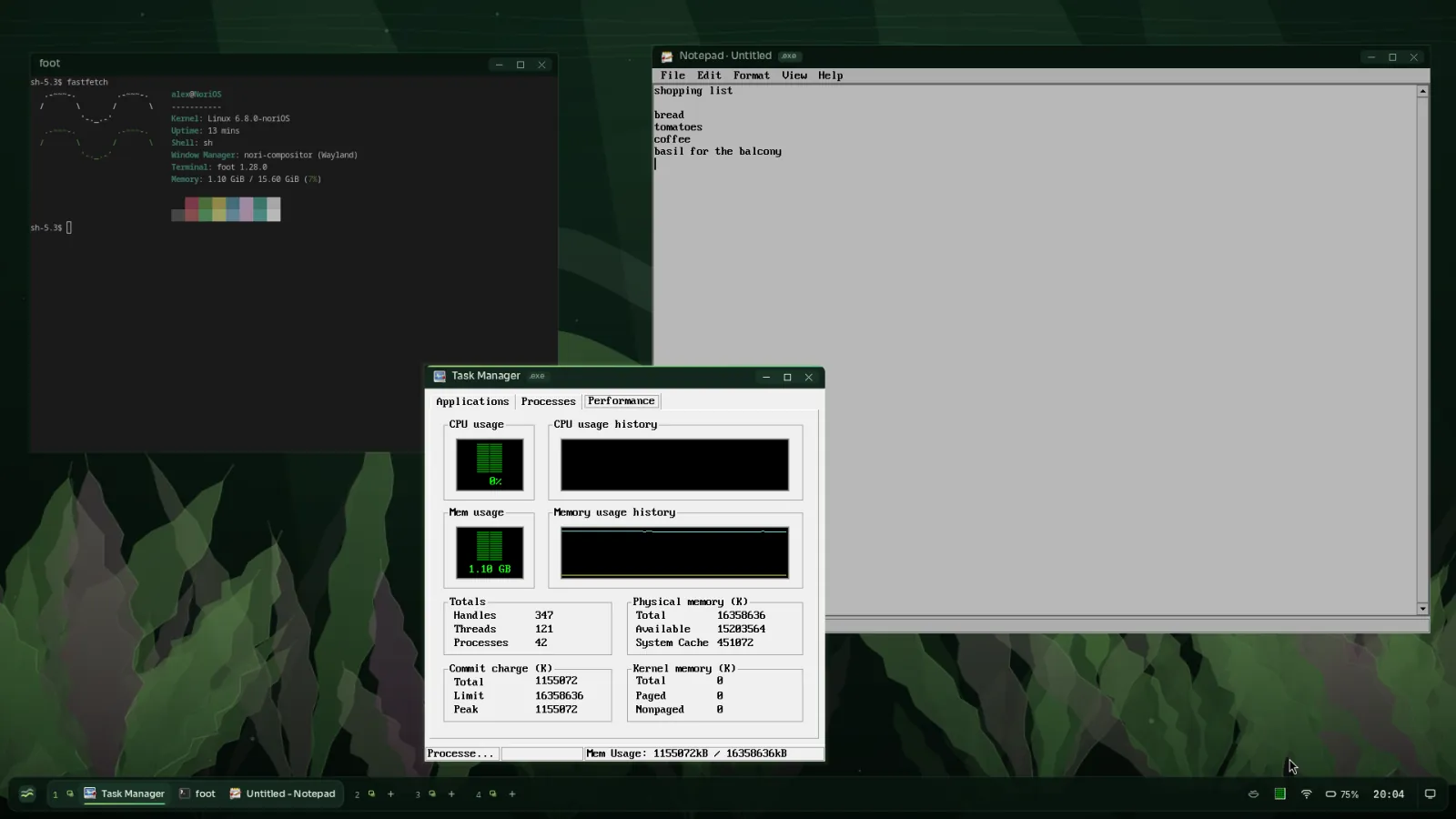
Your apps, from both worlds
- Windows programs run natively: start an .exe from Files, or from the launcher once it has an entry. NoriOS has its own Windows layer; there is no virtual machine and no emulator.
- Linux programs run unchanged, including 32-bit ones.
nori installgets software from Alpine Linux, with more sources on the way. - Games: Steam runs, and so do Linux games like Factorio.
- One clipboard for every program, and Windows tray icons sit in the dock like any other.
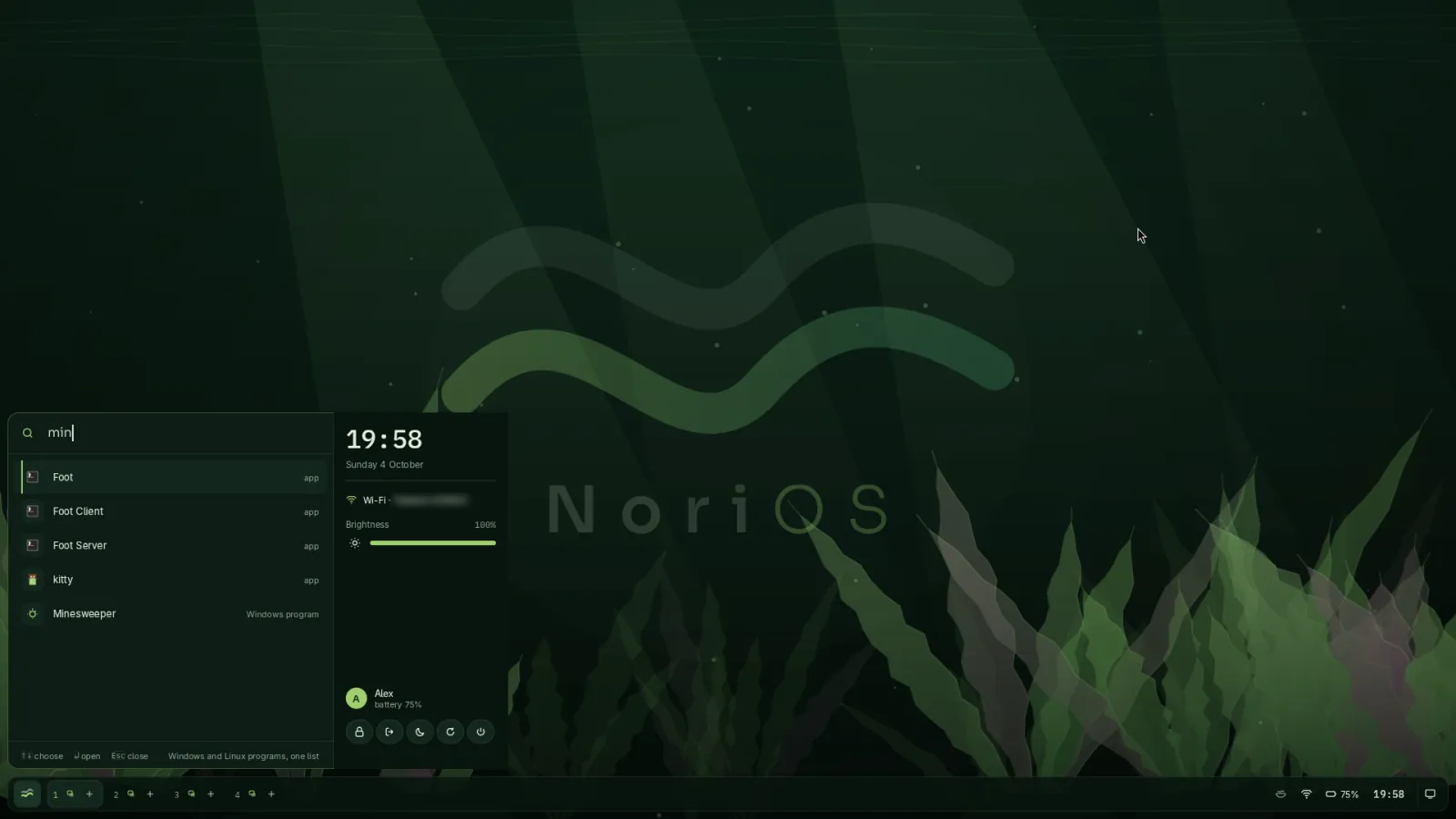
A desktop that is easy to live with
- The launcher: press Super and type. Apps and settings in one list.
- Pools: the dock's numbered pools are your workspaces; each floats or tiles on its own.
- Snapping: drag a window to an edge to fill half the screen, or to the top to maximise.
- Focus is clear: the window you type into is bright, with a thin line across its top; the others sit back.
- Notifications, the tray, the clock and calendar, Wi-Fi, sound and battery live in the dock.
- Picture-in-picture for any window, and a warning when a program stops responding.
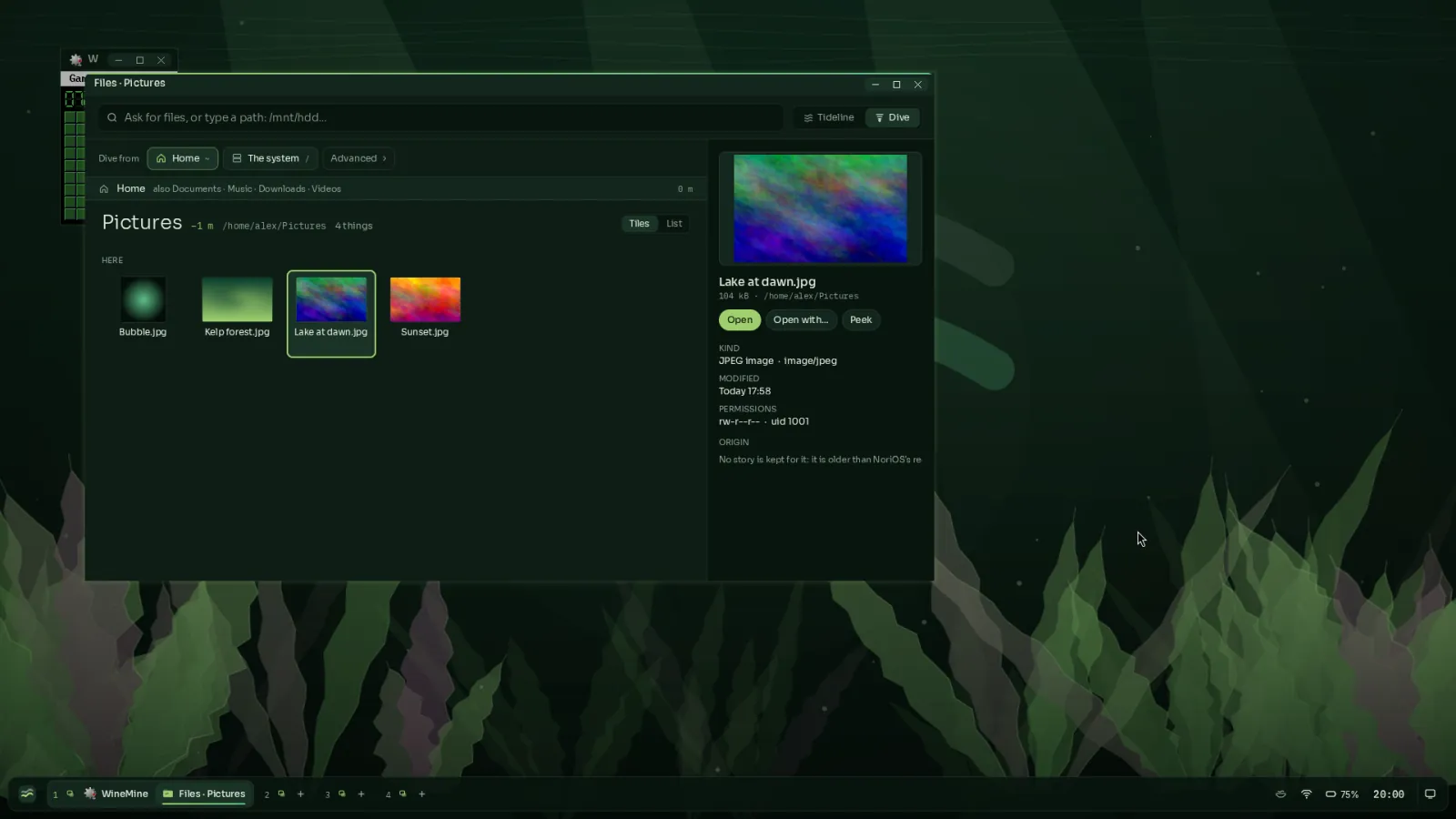
Files
- Dive through folders, from your home, a disk or anywhere on the system.
- Peek at pictures and documents without opening them.
- Undo a copy, a move or a deletion.
- Origins: NoriOS keeps each file's story, so you can see which app made it and where it came from.
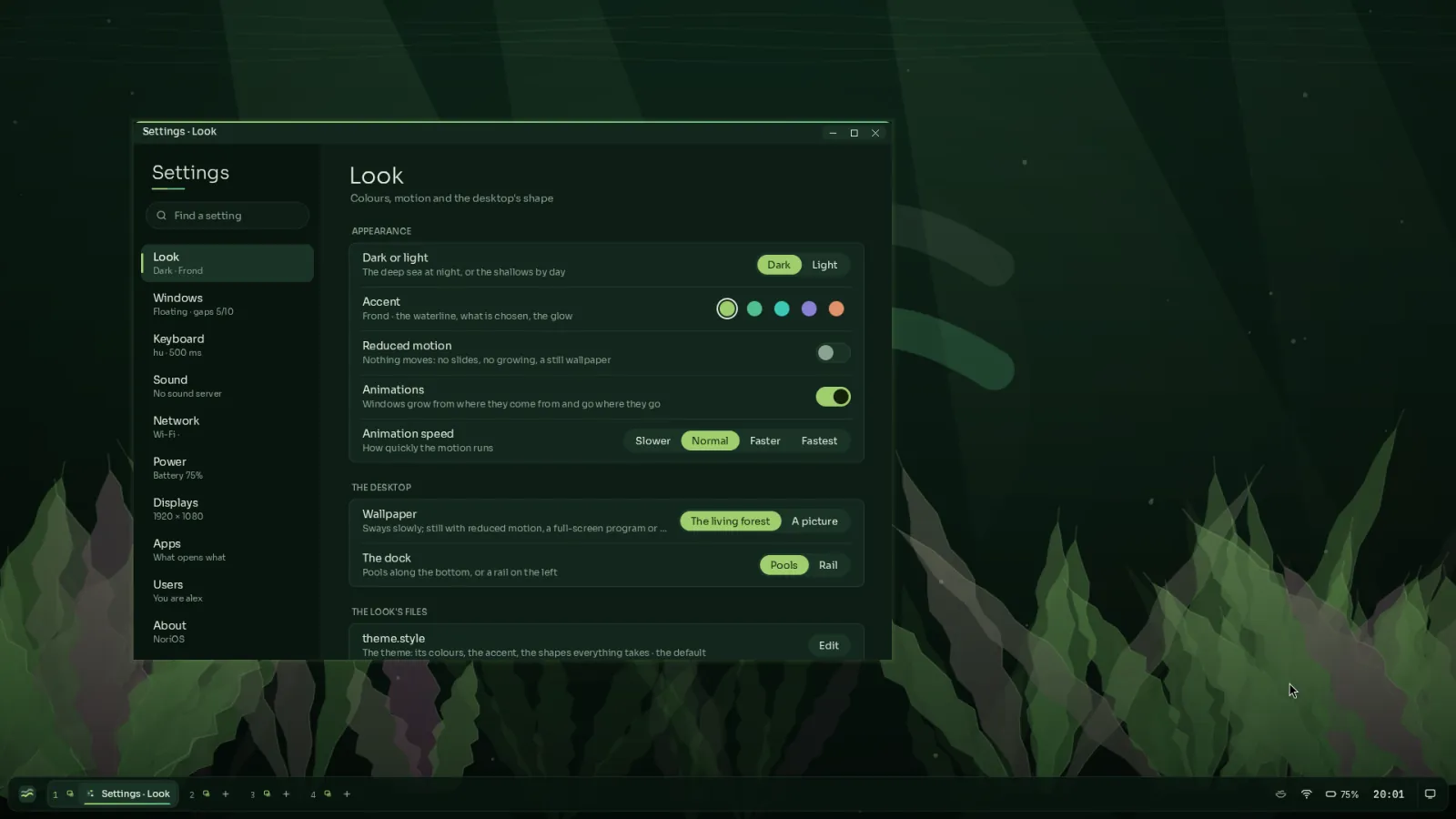
Settings
Look and feel, windows, keyboard layouts, sound, network and Wi-Fi, power, displays, default apps and users, in one place that reads like plain language. Dark or light, five accents, the living wallpaper or a picture of your own, and reduced motion when you want stillness.
Updates without restarting
NoriOS can replace its whole core, the kernel, while your programs keep running: their open files, windows and network connections stay where they were, and you notice a pause of a few milliseconds. A new version starts on probation, and if anything goes wrong, the old one takes back over.
Fast where it counts
NoriOS is built for speed from the kernel up: programs start quickly, memory is handed out quickly, and the desktop stays responsive while work runs in the background.
Hardware
NoriOS boots on 64-bit PCs with UEFI. It drives Intel Wi-Fi 6E cards, Realtek gigabit Ethernet, NVIDIA graphics (through NVIDIA's own open driver), Intel HD Audio, NVMe and SATA drives, and USB keyboards, mice and tethered phones. It sleeps and wakes, graphics card included. More hardware is added with every release; see what's coming next.